 7 min read
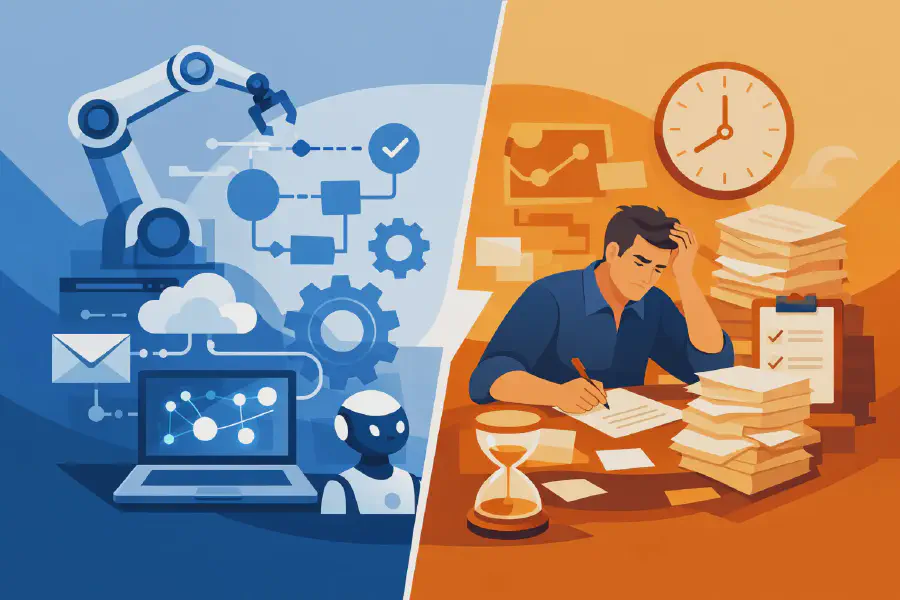
Power Automate vs Manual Processes
A finance manager approves the same invoice three times because it arrived by email, then Teams, then a shared folder. An HR team member chases a missing policy acknowledgement with a spreadsheet and a follow-up reminder in Outlook. An operations lead spends Friday afternoon combining updates from five different business units into one status report. None of this work is unusual, which is exactly why the question of Power Automate vs manual processes matters.
For most organisations, the issue is not whether people are working hard. It is whether the work is repeatable, visible and controlled. Manual processes often survive because they feel flexible and familiar. Power Automate enters the picture when those same processes start creating delays, errors, version confusion or compliance gaps.
Power Automate vs manual processes - what actually changes?
The biggest difference is not just speed. It is structure.
A manual process depends on individuals remembering what to do, when to do it and who to send it to next. Even with documented procedures, the real workflow often sits in inboxes, spreadsheets and team habits. That makes it harder to audit, harder to scale and harder to improve.
Power Automate shifts that logic into a defined workflow. Triggers, approvals, notifications, document actions and data updates happen according to rules rather than memory. That does not remove people from the process altogether. It removes the need for people to manage the hand-offs manually.
For an IT leader or operations manager, that distinction is important. If a process lives mostly in people’s heads, it becomes risky when staff are busy, on leave or moving roles. If it lives in a well-designed workflow, the organisation gets consistency.
Where manual processes still make sense
Automation is not automatically the better option. There are cases where manual handling is still the right decision.
If a process happens rarely, changes every time, or relies on judgement that is difficult to standardise, a manual approach can be more practical. A once-a-quarter review with many exceptions may not justify workflow design effort. A sensitive employee matter may need discretion rather than routing rules. A process under active redesign is also a poor candidate for early automation, because automating a broken process tends to make the flaws more visible rather than fix them.
Manual processes can also be useful at the start of a new initiative. Teams often need to learn the real steps before codifying them. In that situation, forcing automation too early can create frustration and rework.
The point is not to replace every human action. It is to identify where repeatability exists and where it does not.
The hidden cost of manual work
Most teams underestimate the cost of manual processes because the effort is distributed. No single task looks dramatic on its own. Five minutes to send a reminder. Ten minutes to rename files. Fifteen minutes to check whether someone approved a form. Over a month, that becomes a large operational drag.
Then there is the cost of inconsistency. Manual work creates variation. One person files documents correctly, another does not. One manager approves within an hour, another overlooks the email for three days. One team keeps a clean register, another relies on an outdated spreadsheet on a desktop.
That variation affects more than productivity. It affects governance, reporting quality and staff confidence. If people do not trust the process, they build workarounds. Once workarounds appear, the process becomes even harder to govern.
This is often where Power Automate starts delivering value. Not because it looks modern, but because it reduces reliance on informal behaviour.
What Power Automate is good at
Power Automate performs best when the process is repeatable, time-sensitive and rules-based. Think leave approvals, document review cycles, onboarding tasks, policy acknowledgements, incident notifications, contract routing or list-driven reminders.
In these cases, automation creates a reliable path from trigger to outcome. A file lands in a SharePoint library and the right people are notified. A form is submitted and approval goes to the correct manager based on business rules. A due date approaches and the system sends reminders before the task becomes overdue.
This is particularly useful in Microsoft 365 environments because the workflow can sit close to the content and tools staff already use. Instead of relying on disconnected systems and manual follow-up, organisations can connect SharePoint, Teams, Outlook, Forms and other Microsoft services in ways that reduce admin overhead.
That said, capability alone is not enough. A poor workflow can still be confusing, noisy or brittle. Good automation design is less about adding steps and more about removing friction.
Power Automate vs manual processes in compliance and governance
This is where the comparison becomes more serious.
Manual compliance processes often depend on someone remembering to send a policy update, track responses and keep evidence. That may be workable with a small team. At enterprise scale, it becomes unreliable. You can end up with incomplete records, inconsistent follow-up and limited visibility into who has actually read or acknowledged a critical document.
Power Automate can support a stronger control framework by standardising notifications, escalations, evidence capture and reporting. In a SharePoint-based compliance environment, for example, a workflow can issue a request for acknowledgement, record responses, send reminders and escalate non-response without requiring constant manual intervention.
That does not replace the need for governance design. The workflow still needs the right permissions, business rules and reporting logic. But it does create a more defensible process. For regulated sectors such as healthcare, education, government and financial services, that matters.
The trade-offs leaders should assess
The right decision usually comes down to five practical questions.
First, how often does the process happen? High-frequency processes tend to justify automation quickly.
Second, how many people touch it? The more hand-offs involved, the more value there is in reducing manual coordination.
Third, what is the cost of an error or delay? If missed approvals, late actions or poor recordkeeping create real operational or compliance risk, manual handling becomes more expensive than it looks.
Fourth, how stable is the process? Automation works best when the underlying steps are reasonably consistent.
Fifth, who owns the workflow after go-live? Power Automate is not a set-and-forget answer. Flows need monitoring, sensible change control and alignment with the broader Microsoft 365 environment.
These questions help avoid two common mistakes: automating too little, and automating the wrong thing.
Why badly planned automation disappoints
Some organisations compare Power Automate vs manual processes and assume any automation will be an improvement. That is not always true.
If the workflow is built without clear business rules, users may receive too many notifications, approvals may route incorrectly, or exceptions may fall outside the design. If naming conventions, metadata and SharePoint structure are weak, the automation may technically work while still producing messy outcomes. If no one has considered governance, a useful short-term flow can turn into another unsupported dependency.
This is why process mapping matters before build. The best results come from understanding the current state, identifying pain points, removing unnecessary steps, and then automating what remains. In practice, that usually means business and technical stakeholders working together rather than treating automation as a purely technical exercise.
A better way to decide where to automate
Start with one process that is visible, repetitive and frustrating. Not the most complex one. Not the one with twenty exceptions. Pick something that staff already recognise as a bottleneck.
Measure the current effort. How long does it take, how many touches are involved, and where do delays occur? Then define what good looks like. Faster approvals, fewer emails, cleaner reporting, stronger auditability, or better policy compliance are all valid outcomes, but they need to be explicit.
From there, design for maintainability. Keep the workflow understandable. Use clear ownership. Align it with your SharePoint information structure and governance standards. If the organisation is preparing for broader AI adoption, this step becomes even more important. AI tools rely on clean processes and trustworthy content. Automation helps create that foundation, but only when implemented carefully.
For many organisations, the real gain is not replacing people. It is giving people less administrative process work and more capacity for the work that requires judgement. That is a much better lens than chasing automation for its own sake.
A well-designed manual process is better than a rushed workflow. But a well-designed Power Automate solution is usually better than a manual process that depends on memory, inboxes and goodwill. The useful question is not whether automation is possible. It is whether the process is important enough to deserve consistency.