No one knows your
business like you.
No one knows
SharePoint like us.
Get organised with SharePoint and Harvest
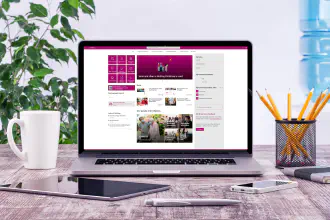
We use Harvest to track the time we spend on projects, and SharePoint to manage all our project documentation. Many of our clients do the same - but several were finding their SharePoint environments disorganised and difficult to navigate.
To bring structure and clarity to their document management, we helped them integrate these systems by creating project navigation dashboards in SharePoint. These dashboards give teams a simple, consistent way to access the documents they need, stay organised, and keep projects moving.
Approaches to get organised
To bring structure and clarity to their document management, we helped them integrate these systems by creating project navigation dashboards in SharePoint. These dashboards give teams a simple, consistent way to access the documents they need, stay organised, and keep projects moving.
Microsoft SharePoint Online
Cloud or on-prem. SharePoint Gurus can help you design and implement your Modern Workplace.
Read moreDigital Transformation
Streamline processes with the cloud. We build Power Apps and orchestrate Flows to remove business bottle necks.
Read moreCopilot Readiness
Make sure your content is fit for AI. Let us organise and secure your content so your information is an asset not a liability!
Read moreCompliance Tracker
Need to know that important documents and pages are being read by the right people?
Read more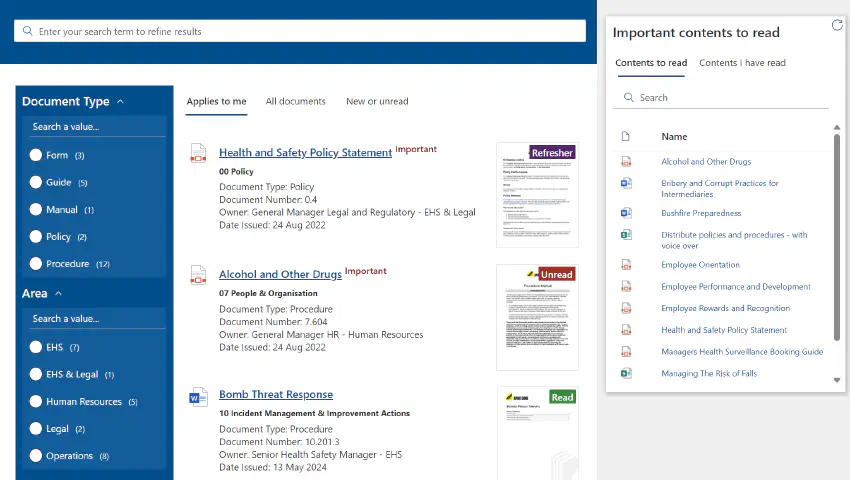
Need to know that content is seen, read, and understood
Microsoft SharePoint Online is excellent for managing content, but ensuring the right people actually read critical information can be a real challenge.
That’s where Compliance Tracker 365 makes all the difference.
Target important documents and pages, request manual or automated read acknowledgements, and generate clear reports that show exactly who has - and hasn’t - read the content.
Watch the video to see it in action or book a demonstration to learn more.
That’s where Compliance Tracker 365 makes all the difference.
Target important documents and pages, request manual or automated read acknowledgements, and generate clear reports that show exactly who has - and hasn’t - read the content.
Watch the video to see it in action or book a demonstration to learn more.
Trusted by those you trust
SharePoint Gurus prides itself in building long lasting relationships with our clients.
Case Studies
Read our Case Studies for real world client implementations.